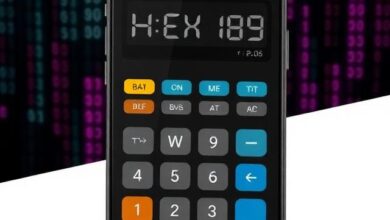
Data Unit Converter
Data Unit Converter: Easily Manage Storage and Transfer Sizes
In the modern world, we use data for almost everything we do. We send text messages, watch high-quality videos, play online games, and save thousands of photos on our smartphones. Every single piece of information that moves through the internet or sits on a hard drive has a specific size. However, the names of these sizes can be very confusing. You might hear people talk about Megabytes, Gigabytes, and Terabytes, but it is hard to know how they relate to each other. Our Data Unit Converter is a powerful and simple tool designed to help you understand these measurements. It allows you to change one unit into another instantly so that you can manage your digital life with confidence.
What is a Data Unit Converter?
A Data Unit Converter is an online tool that helps you translate different sizes of digital information. It works like a language translator, but for numbers. For example, if you know that you have a file that is 2,000 Megabytes, you might want to know how many Gigabytes that equals. Instead of doing difficult math in your head, you can type the number into our tool. The Data Unit Converter uses the official rules of computer science to give you a perfect answer every time. It is a great resource for students, office workers, and anyone who uses a computer or a mobile phone.
Why is it Important to Understand Data Units?

You might think that these units are only for computer experts. However, understanding data is important for everyone. Here are several reasons why you should use the Data Unit Converter in your daily life.
1. Managing Your Phone and Computer Storage
Every device has a limit on how much it can hold. When you buy a phone with 128 Gigabytes of space, you need to know how many apps and photos will fit. If you see that an app is 500 Megabytes, you can use our tool to see how much of your total space it will take. The Data Unit Converter helps you decide when it is time to delete old files or move them to a different drive.
2. Understanding Internet Speeds
When you pay for an internet plan, the company tells you the speed in Megabits per second. However, when you download a file, the computer shows the speed in Megabytes per second. These two things are not the same. Using a Data Unit Converter helps you understand the difference so that you know if you are getting the speed that you paid for.
3. Sending Email Attachments
Most email services have a limit on how large a file can be. If the limit is 25 Megabytes and your file is measured in Kilobytes, you need to know if it will fit. Our tool allows you to check your file size quickly so that your emails do not get rejected by the system.
The Basic Units of Data Explained
To use the Data Unit Converter effectively, it is helpful to know the names of the units and what they represent. Here is a simple guide to the most common units of data.
The Bit (b)
A bit is the smallest unit of data in a computer. It is like a tiny light switch that is either off or on. In computer language, this is a 0 or a 1. Bits are usually used to measure the speed of data moving through a wire.
The Byte (B)
A byte is made up of eight bits. This is the basic unit used to measure the size of a file. One single letter of the alphabet usually takes up one byte of space.
The Kilobyte (KB)
A Kilobyte is about one thousand bytes. In a computer, the number is actually one thousand and twenty-four. A small text document might be only a few Kilobytes in size.
The Megabyte (MB)
A Megabyte is about one thousand Kilobytes. Most high-quality photos that you take with your phone are between three and five Megabytes. A three-minute song is usually about five Megabytes.
The Gigabyte (GB)
A Gigabyte is about one thousand Megabytes. This is a very common unit today. Most movies are between one and five Gigabytes. Many modern video games are much larger, sometimes reaching one hundred Gigabytes.
The Terabyte (TB)
A Terabyte is about one thousand Gigabytes. This unit is used for very large storage drives. If you have a Terabyte of space, you can store hundreds of thousands of photos and thousands of hours of video.
The Rule of 1024: Why Computer Math is Different
One of the most confusing parts of digital data is the math used to calculate it. In normal math, we like to use the number one thousand. However, computers use a system called binary. Because of this, computer scientists decided that one Kilobyte should be equal to 1,024 bytes.
Our Data Unit Converter is programmed to use this 1,024 rule. This ensures that the results you see on our website match the numbers that you see on your Windows or Mac computer. If you use a tool that only uses one thousand, your results will be slightly wrong. We provide the highest level of accuracy for our users.
How to Use the Online Data Unit Converter
We have made the interface of our website very clean so that anyone can use it without any trouble. Please follow these easy steps:
- Enter Your Number: Type the value you want to convert into the first box.
- Select the Starting Unit: Use the menu to choose the unit you currently have, such as Megabytes.
- Select the Target Unit: Choose the unit you want to see, such as Gigabytes.
- Click Calculate: Press the button to start the conversion process.
- Review the Result: The Data Unit Converter will show the new value immediately. Most of the time, it will show you several other units as well so that you have a full picture.
Real-World Examples of Using the Tool
To help you understand how the Data Unit Converter is used every day, here are some common situations.
Buying a New SD Card or Flash Drive
Imagine you want to buy a memory card for your camera. You see one that says 64GB. You know that your average photo is 4MB. You can use the Data Unit Converter to change 64GB into Megabytes. Once you see that 64GB is over 65,000 Megabytes, you can easily figure out that you can store thousands of photos on that single card.
Downloading a Large Video Game
Modern video games are massive. If a game is 80GB and your internet speed is 50Mbps (Megabits per second), you might want to know how long it will take. You can use the tool to convert the bits into bytes. This helps you plan your time so that you are not waiting all night for a game to finish.
Backing Up Your Computer
If you are moving your files to a cloud storage service, they might charge you based on how much data you upload. If you have 500GB of files, you can use the Data Unit Converter to see how that compares to a 1TB plan. This helps you choose the cheapest plan for your needs.
Why Our Online Tool is the Best Choice
There are many ways to find data information, but our Data Unit Converter offers several advantages:
- It Is Completely Free: You do not have to pay anything to use our professional calculator.
- It Is Fast and Efficient: You get your results immediately. There is no waiting for the page to process your data.
- It Is Accurate: We use the correct 1,024 binary rule to ensure your results are perfect for computer use.
- No Registration Required: You do not need to create an account or give us your email address.
- Fully Responsive: Our tool works perfectly on your phone, tablet, or computer. You can check a file size while you are out shopping for a new hard drive.
Educational Value for Students and Teachers
The Data Unit Converter is also a great resource for the classroom. Teachers can use it to teach students about the binary system and how computers store information. It helps students understand that the digital world has its own set of rules and measurements. By playing with the numbers in the calculator, students can see the relationship between small bits and massive Terabytes.
Frequently Asked Questions (FAQ)
What is the difference between a Megabit and a Megabyte?
A Megabit is used for speed and is eight times smaller than a Megabyte. A Megabyte is used for file size. This is why internet speeds often seem faster than the actual download speed on your computer.
Why does my 500GB drive only show 465GB on my computer?
This is because hard drive manufacturers often use the number 1,000 to define a Gigabyte, but your computer uses 1,024. Our Data Unit Converter can help you understand this difference by showing both types of calculations.
Is a Terabyte bigger than a Gigabyte?
Yes, a Terabyte is much bigger. It takes about one thousand Gigabytes to make one Terabyte.
Can I use this tool on my smartphone?
Yes, our website is fully responsive. The Data Unit Converter works perfectly on all mobile browsers.
Does the tool work for Petabytes?
Yes, our professional version includes even larger units like Petabytes and Exabytes for people who work with massive data centers.
Is the tool safe to use?
Yes, it is completely safe. We do not store your data or track your personal information. Your privacy is very important to us.
Conclusion
In conclusion, the Data Unit Converter is an essential tool for anyone living in the digital age. It helps you take control of your storage, understand your internet speeds, and manage your files without any stress. Whether you are a student, a professional, or just a person who loves taking photos, knowing how much data you are using is very helpful. It is free, easy to use, and works on all your favorite devices. We invite you to use the Data Unit Converter today and discover how easy it is to master the math of the digital world.
edius pro 9 52 crack lifetime activation
edius project sona chandi
edius song project baby doll mein sone di
edius special wedding effects for edius
edius troubleshooting problems and bugs
edius wedding mixing data 660
edius wedding song project
edius wedding title project
edius x drag and drop effects
edius x free pnp effects bundle